Open the skin in CSlytics Desktop and read the float curve at the foot of its page. The curve plots the fair price against float for every wear the skin is sold in, fitted to live Steam or CSFloat listings, with your own copies marked on it. Hover any float and the tooltip gives the price there. Above the curve sit the live order book, read again every five seconds while the page is open, and the Steam price history, so one page answers what the skin is worth now, where its price has been, and what its float adds or takes away.
What Steam shows you
A Steam Market page covers one wear of one skin. It lists every copy for sale with its float, and its filters can narrow the list to a float band. What it never shows is how price moves with float. The price history is one line for the whole wear, the buy orders are a count at each price, and the only way to learn whether a 0.16 Field-Tested copy is worth more than a 0.30 one is to scroll the listings and compare them by hand.
The item page, top to bottom
The page reads in the order a trader asks.
- The header names the item, its rarity and type, and what your accounts hold of it: how many, how many are in storage, how many are listed. Beside it is the quote: the lowest ask, the highest bid and the mid between them, in the market’s currency with your own currency underneath.
- Price history is the median Steam sale per day, with the number sold, over 30 days, 90 days, a year or everything. Switch Source to Book and it shows the top of the order book on each day this desktop read it instead.
- Order book is the ten best bids and the ten best asks with the quantity at each price, and the total units on each side above them.
- Float curve is the fair price against float for every wear, from Steam or CSFloat, with the listings it was fitted to and your own floats marked. Items with no float, such as cases and stickers, have no curve and no panel.
Reading a skin’s value, step by step
Open Items
Items is the chart icon in the sidebar. Before an item is open the page shows a search box and the items you looked at recently. You can also open any item from a row of your inventory, and Back or Esc brings you back to where you were.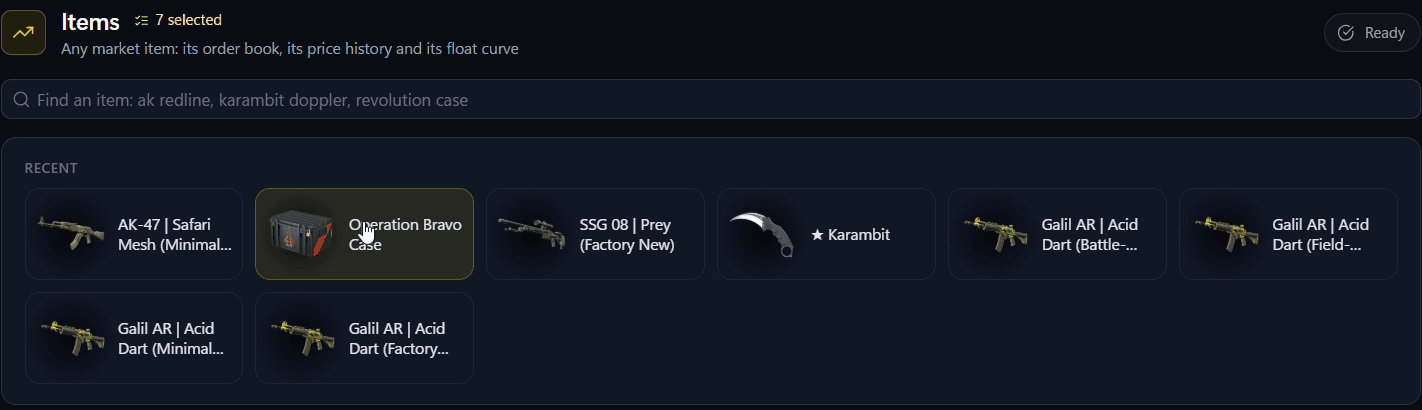
The Items page before anything is open. The Recent row remembers what you looked at. Type a few letters and pick a name
The search box is the same one the inventory uses, and skins you hold are offered first. Picking a name opens the wear your accounts hold most of. If you hold none, it opens the least worn wear, the one Steam lists first.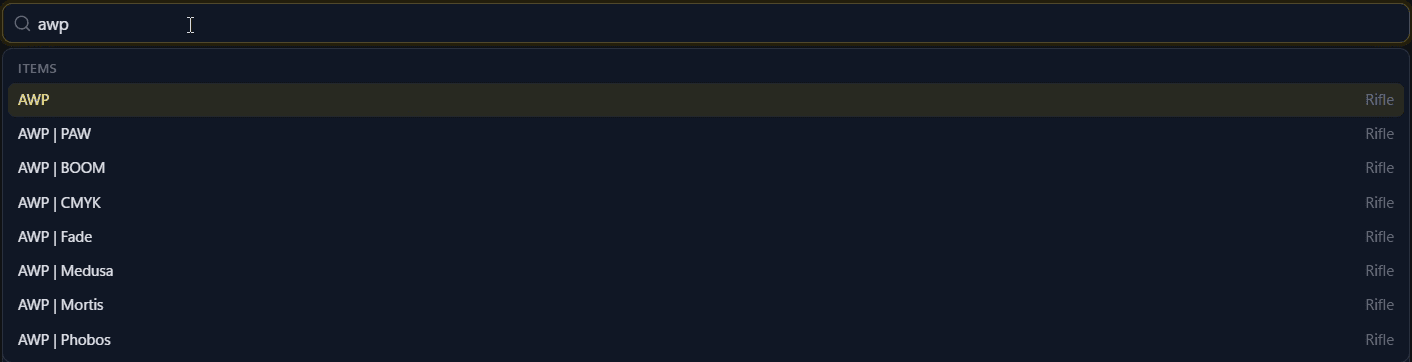
Typing awp. The weapon comes first, then its skins. Read the quote and switch wear
Ask is the cheapest copy for sale and Bid the highest buy order. The wear buttons open the same skin at another wear, and the number on a button is how many of that wear you hold.
Nine Field-Tested copies held, all in storage. The ask is A$0.34 and the bid A$0.31. Check where the price has been and how deep the book is
The history chart shows median sales, here nearly forty thousand of them in 90 days. The order book beside it shows how much sits at each price. A thin book means a large sale will move the price.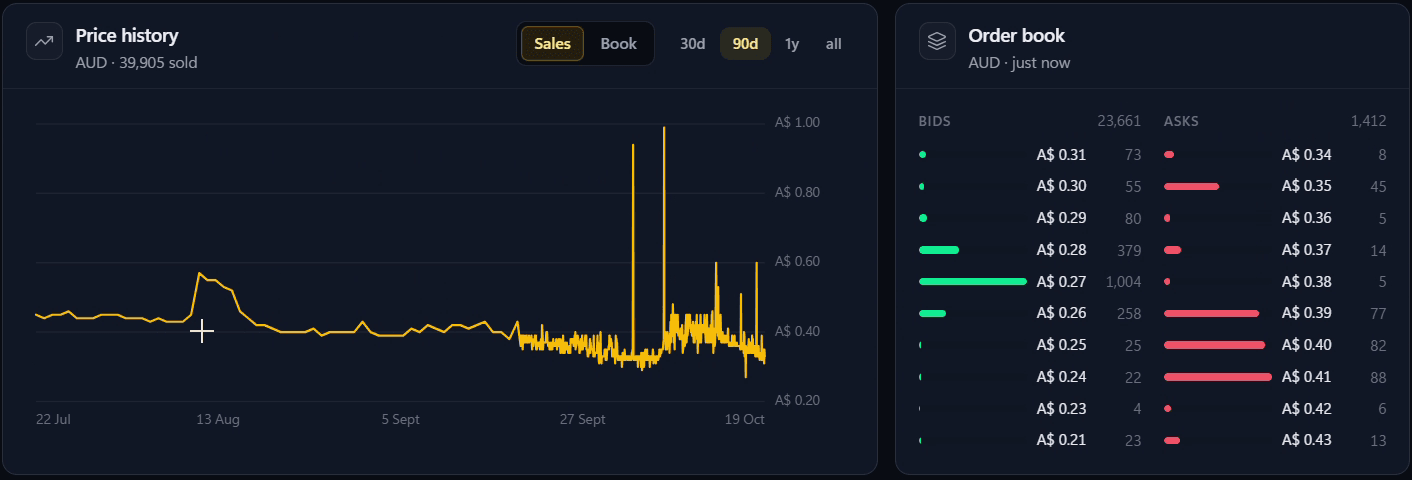
A spike in the sales history, and a book with over a thousand units bid at A$0.27. Hover the float curve
Each wear has its own curve in its own colour over its wear band, and the wear this page is about is drawn strongest. Move the pointer along it and the tooltip names the wear, the float and the fair price there. Your own best float on each account is marked on the line, and its tooltip says Your float.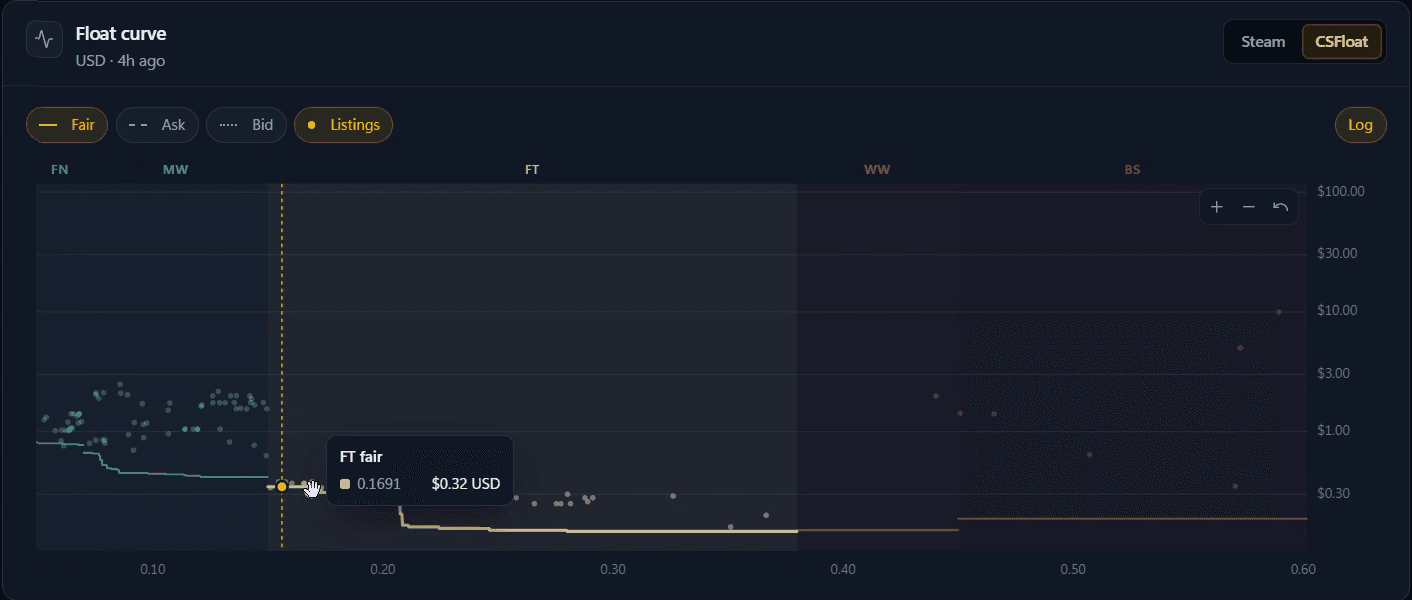
The CSFloat curve for the MP9. At 0.1691 the Field-Tested fair price is $0.32. Switch venue and turn layers on and off
Steam and CSFloat are fitted separately, so switch between them to see where the skin sells for more. Fair and Listings are on by default. Ask adds the lowest ask at each float as a dashed line, Bid the highest bid as a dotted one. Hover a dot and the tooltip gives that listing’s float and price.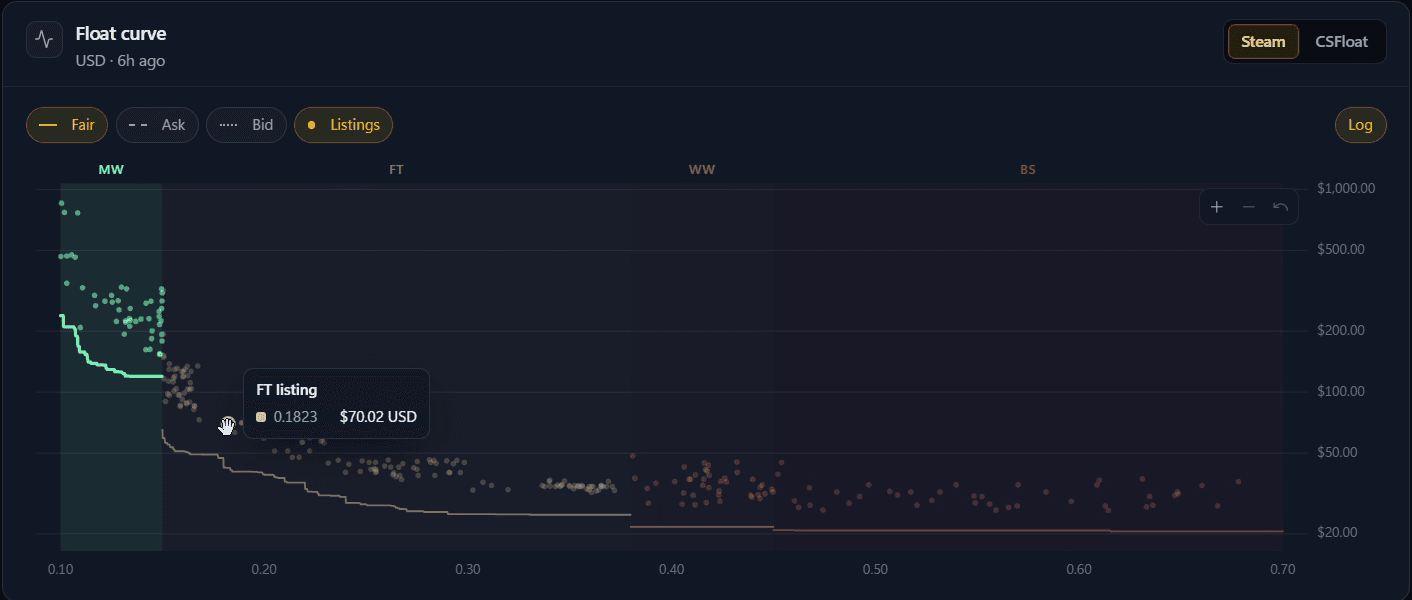
The Steam curve for an AK-47 | Redline. One Field-Tested listing at 0.1823 is $70.02. Zoom into the part that matters
Hold Ctrl and scroll to zoom about the pointer. Drag to pan, hold Shift and drag to zoom to a box, and double-click or press 0 to see the whole range again. The buttons in the corner of the chart do the same.
Chart controls
| Do this | To |
|---|---|
| Hover | Read the wear, the float and the price at the nearest point |
| Ctrl and scroll | Zoom about the pointer. Add Shift to zoom the price axis |
| Drag | Pan |
| Shift and drag | Zoom to a box |
| Double-click or 0 | Show the whole float range again |
| Fair, Ask, Bid, Listings | Show or hide a layer |
| Log | Switch between a log and a linear price axis |
| Steam, CSFloat | Pick the venue the curve is fitted to |
A plain scroll still scrolls the page, so the chart never traps the wheel.
Where the curves come from
CSlytics fits each curve to the listings on that venue and publishes it in US dollars. The desktop fetches a curve at most once a day for each name, and the panel header shows how old it is. They are the same curves as the Float Curves page on this site, where you can lay up to six skins over each other without the app. The site’s CS2 tradeup calculator uses float curves too, to price each trade-up input at its exact float.
A skin with no published curve on one venue says so and offers the other. The fair line is clamped flat beyond the last listing, and a gap in the bid line is a real gap in buy orders, never bridged.
What it does not do
- The fair price is fitted to asks, before fees. It is what copies at that float are listed for, not an offer to buy yours.
- The curve is in US dollars even when the quote and the book are in your own currency.
- Nothing on the page changes anything on Steam or CSFloat. It only reads.
Questions
- Is the fair price what I would get if I sold?
- No. It is where copies at that float are listed on that venue. Turn on Bid to see the highest buy order at each float, which is closer to a sale right now, and remember the venue's fee comes off whatever you sell for.
- Why is the curve in USD when my prices are in AUD?
- The curves are published in US dollars for everyone. The quote and the order book come from Steam in your market's currency and are converted to the currency you chose for the app.
- Why does my item have no float curve?
- Cases, stickers, agents and other items without a float have no curve, and no panel. A skin whose curve has not been published for a venue shows No curve published and a button for the other venue.
- Where are my own copies on the chart?
- Your best float on each account is marked on the fair line of the wear it falls in. Hover the mark and the tooltip says Your float, with the float and the fair price there.
- How fresh is what I am looking at?
- The order book is read again every five seconds while the page is open and its header says when it was last observed. Sales history is fetched when you open the page and refreshed once it is a day old. Curves are refreshed daily.
- Can I get here from my inventory?
- Yes. Open any item from an inventory row. The page then offers Back, and Esc does the same.
Related guides
- How to check the float value of a CS2 (CS:GO) skin on the market
- How to sell multiple items at once on the Steam Market (CS2)
- How to manage CS2 storage units in bulk
- How to move CS2 items between your own Steam accounts
- How to list CS2 items on CSFloat in bulk
- How to manage multiple Steam accounts for CS2 trading
- How to search your CS2 inventory by float, wear, pattern and storage unit